PCD CW Coach
Learning CW should be fun.
An interactive Windows Morse-code training application built around the student. Hear CW, answer naturally, receive coaching and reinforcement, and develop the copying skills used in real amateur-radio communication.
Meet Your CW Coach
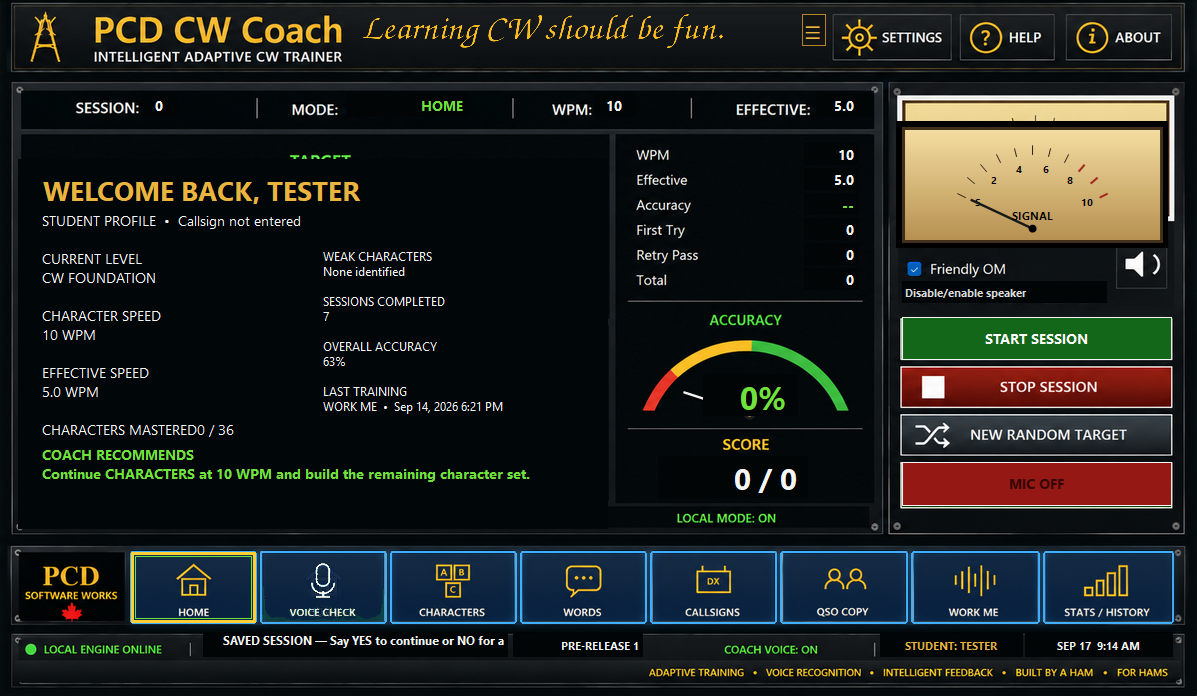
PCD CW Coach is designed to make learning and practicing Morse code feel like working with a coach—not operating a test generator. It does more than play CW and mark an answer right or wrong: CWC interacts with the student, handles responses, provides feedback, reinforces weak material, and keeps training moving.
The goal is usable CW. Beginners can build character recognition progressively, returning operators can rebuild rusty skills, and experienced students can use focused amateur-radio practice to sharpen callsign recognition and QSO copying.
Adaptive Training
Tracks performance and reinforces material that needs more work instead of treating every item exactly the same.
Natural Interaction
Training is designed around listening, responding, feedback and continuation rather than constant interruption.
Progress That Matters
First-try performance, retries, accuracy and character progress help show improvement and identify weak areas.
Features
Your Training, Your Settings
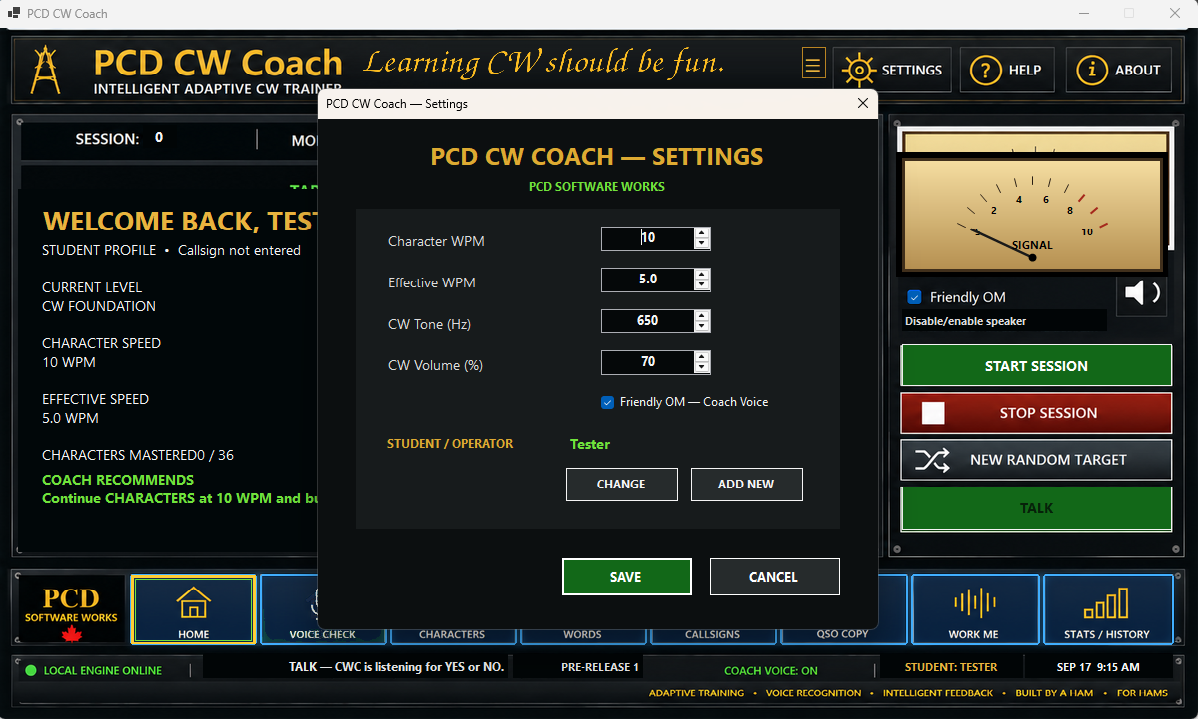
Set Character WPM, Effective WPM, CW tone and volume. Student profiles let CWC keep training associated with the operator, while the HOME screen provides a progress snapshot and coaching recommendation.
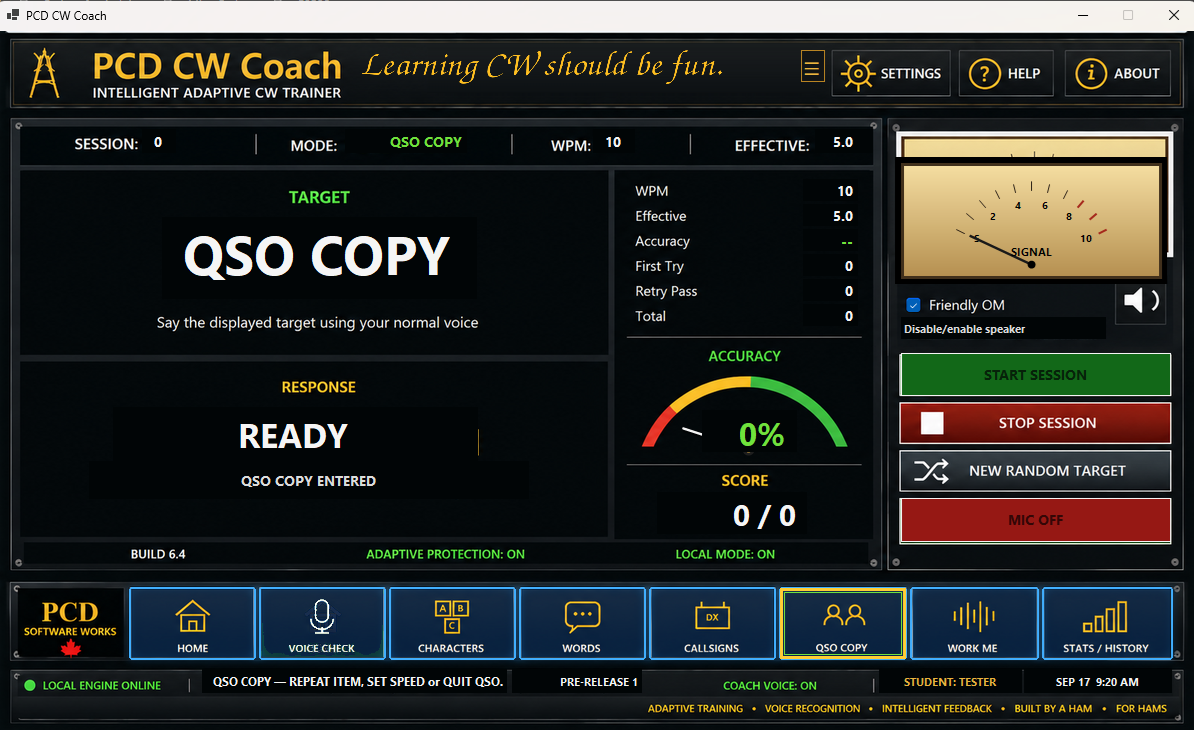
The interface keeps important training information visible: current mode, character speed, effective speed, accuracy, score and signal/listener status.
Friendly OM Coach Voice
CWC can guide the student through training and practice using spoken prompts, while visible listener states make it clear when the application is ready for a response.
Characters
Build and reinforce Morse-character recognition while CWC tracks progress.
Words
Move beyond isolated symbols and develop connected CW copying.
Voice Check
Check the microphone and speech-recognition path before returning to training.
Student Profiles
Maintain student training progress and resume saved work.
Stats / History
Review training activity, sessions and character-level progress over time.
CW Speed Control
Character and effective speed settings support progressive CW development.
Practice for the Air
CWC goes beyond basic character drills with dedicated amateur-radio activities designed to develop recognition, retention and comprehension.
CALLSIGNS
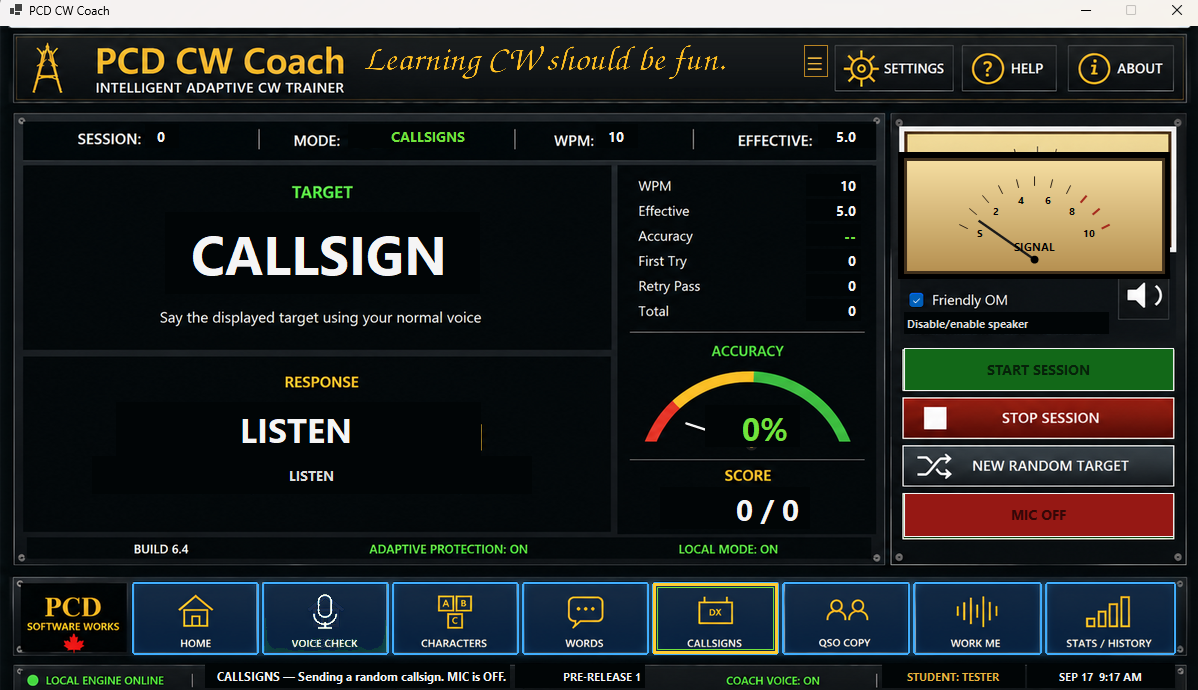
Practice copying realistic amateur-radio callsigns. Focused callsign work helps move recognition toward the kind of material heard during real contacts.
WORK ME
Listen to a hidden, realistic QSO and demonstrate comprehension of what was heard. The emphasis is on retaining useful information rather than merely recognizing individual characters.
QSO COPY
Copy a short CW contact and extract useful information such as the callsign, RST, name and QTH. The exercise moves practice toward understanding CW as communication.
Practice Without Losing Your Lesson
Appropriate practice activities can be used while the current training state is parked, allowing the student to return to the saved training activity afterward.
Setup
Windows PC
PCD CW Coach runs as a Windows desktop application.
Hear the CW
Use speakers or a headset to hear Morse code and the Friendly OM coach voice.
Voice Interaction
For microphone-based interaction, use a microphone Windows can hear clearly and train in a reasonably quiet environment.
Input: CWC is designed to support spoken interaction and keyboard responses, allowing the student to choose the method that best fits the training situation.
Download
PCD CW Coach Release 1 is now available. Download the setup package to install PCD CW Coach, and download the documentation package for the complete user documentation.